Move a WordPress site to a new host.
From your laptop, no plugin.
SiteShift pulls the live site down from the old host over SSH, and pushes it — files, database, rewritten URLs — to the new one. No migration plugin on either side, no zip uploads, no waiting on a support ticket. Any host to any host.
Destination database backed up first · URLs rewritten with WP-CLI · Old host untouched until you switch DNS
Four steps. Two of them are buttons.
The same pull and push you use every day, pointed at two different servers.
Pull from the old host
Add the old host's SSH details, or pick the site from a connected Hostinger account. Pull from remote copies the files and dumps the database, rewrites the site URL to a local address, and serves the site on bundled PHP and MySQL. You now have a complete local copy — and a chance to check it before anything moves.
Point SiteShift at the new host
Open Edit connection on the site's Sync card and enter the new host's SSH details, webroot and production URL. If the new host gives you a temporary URL, use that for now; you'll switch to the real domain after DNS. Test connection confirms SiteShift can log in and write.
Push files and database
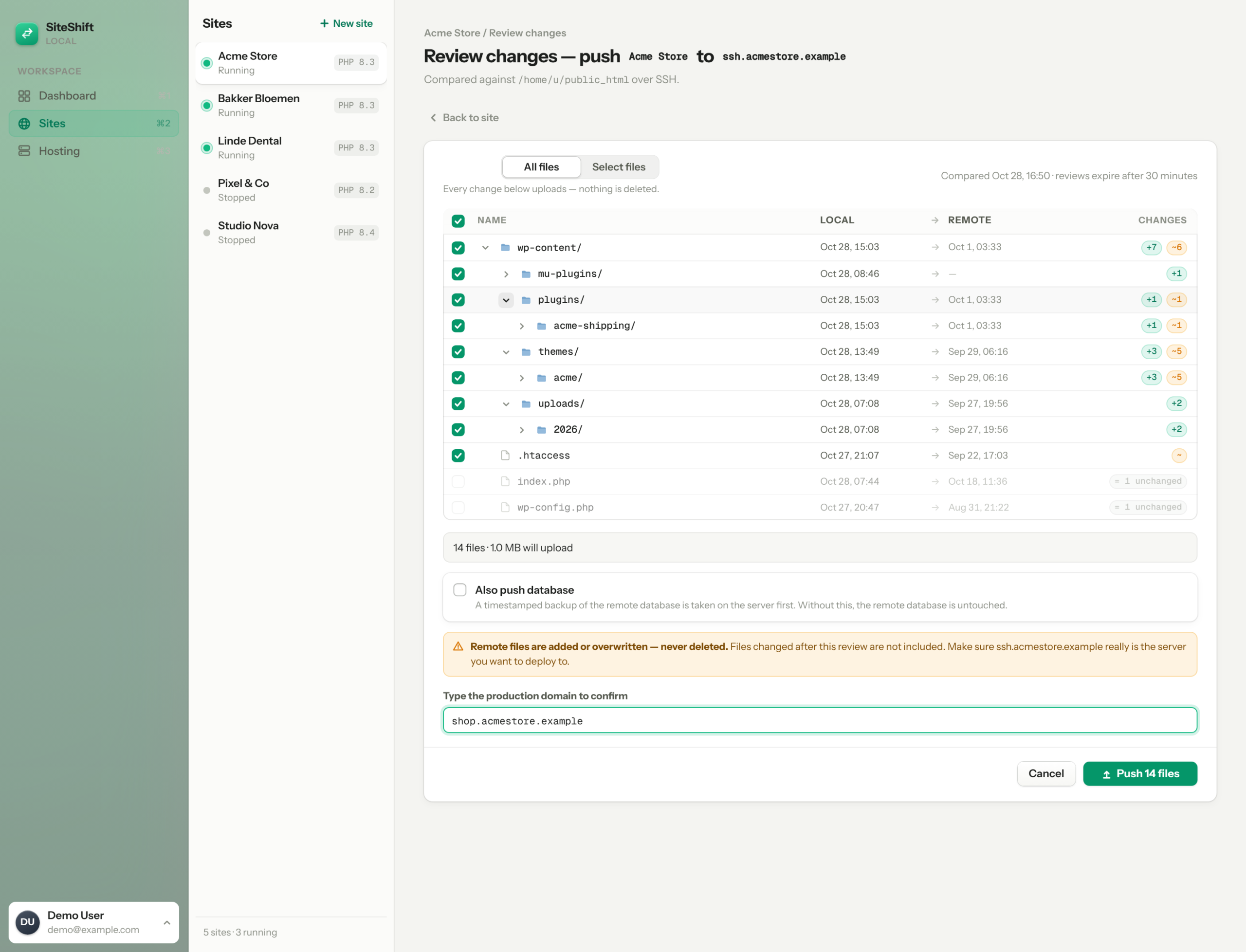
Review the file tree, tick include database, type the destination domain to confirm. SiteShift backs up whatever database is on the new host first — a copy stays on the server and one lands on your machine — then imports your database with every URL rewritten to the new address, serialized data included.
Switch DNS, purge, done
Point the domain at the new host, enable SSL there, and clear the host's cache so visitors don't see stale pages. The old host stays untouched until you cancel it — so if anything's off, the old site is still live.
Today this is three screens in the app — Pull, Edit connection, Push. A single Move to another host flow is on the roadmap; the steps stay the same.
What SiteShift handles, what you still do
Honest about where the app stops.
- Buy the new hosting plan
- Point DNS at the new host
- Enable SSL on the new host
- Leave MX, SPF and DKIM records alone when you change the A-record
- Cancel the old host — after a week, not a day
- Copy files and database over SSH/SFTP
- Rewrite URLs with WP-CLI search-replace — serialized options survive, http:// and https:// both covered
- Back up the destination database before importing, to the server and to your machine
- A file-by-file review, add-only pushes, and a typed-domain confirm gate
- Keep the old host reachable as a fallback
Plugin, host migrator, or SSH?
The migration is the beginning, not the end.
After the move, the site is in SiteShift. The next plugin update, the next theme fix, the next "can you change the phone number" — you do it locally, review the diff, push. The migration paid for the setup you'd have wanted anyway.
What agencies do with it nextMigration questions
Not from SiteShift. The old host keeps serving the site until you change DNS. The only window is DNS propagation itself, which you control by lowering the TTL a day ahead.
Pull right before you switch DNS, not the day before, so the copy is as fresh as possible. For busy shops, put the old site in maintenance mode for the minutes between the final pull and the DNS switch. Orders placed on the old host after that pull are not moved automatically.
URL rewriting runs through WP-CLI's search-replace, which understands PHP serialization, so Elementor, ACF and widget data keep their lengths and stay readable.
Push to the temporary URL first and check the site there. After DNS points at the new host, run one more search-replace from the temporary URL to the real domain — with WP-CLI on the server, or by pushing the database again with the connection's production URL set to the real domain.
Their SSH gateway is sandboxed and doesn't expose everything the pull needs, so not yet. Every other host with a normal SSH login works.
Files travel as one compressed archive over SFTP, the database as a dump. Uploads folders of a few gigabytes are routine; what matters is the destination's free space, which you can check with a plain df -h over SSH before you push.
Pull it down. Push it up. Cancel the old host next week.
Get SiteShift — €9/mo